
Automation
Turn each submission into action
Set a status, assign an owner, send an email or a Slack message, or add a row to a spreadsheet, with rules you build visually and can test before they run.
Automate
Decide what happens after every submission — once
Workflows react to submissions for you. When something happens and it matches your conditions, UndaForms takes the next step and records exactly what it did.
When
- A submission is received
- A submission’s status changes
- A tag is added to a submission
- On a recurring schedule
If
- Status, form or tag
- Assignee or referring agent
- The answer to a specific question
Then
- Set a status, assign a teammate, add a tag
- Wait for a period, or until a date
- Send an email
- Post to Slack or add a Google Sheets row
- Call a webhook or HTTP endpoint
- Send a WhatsApp template message
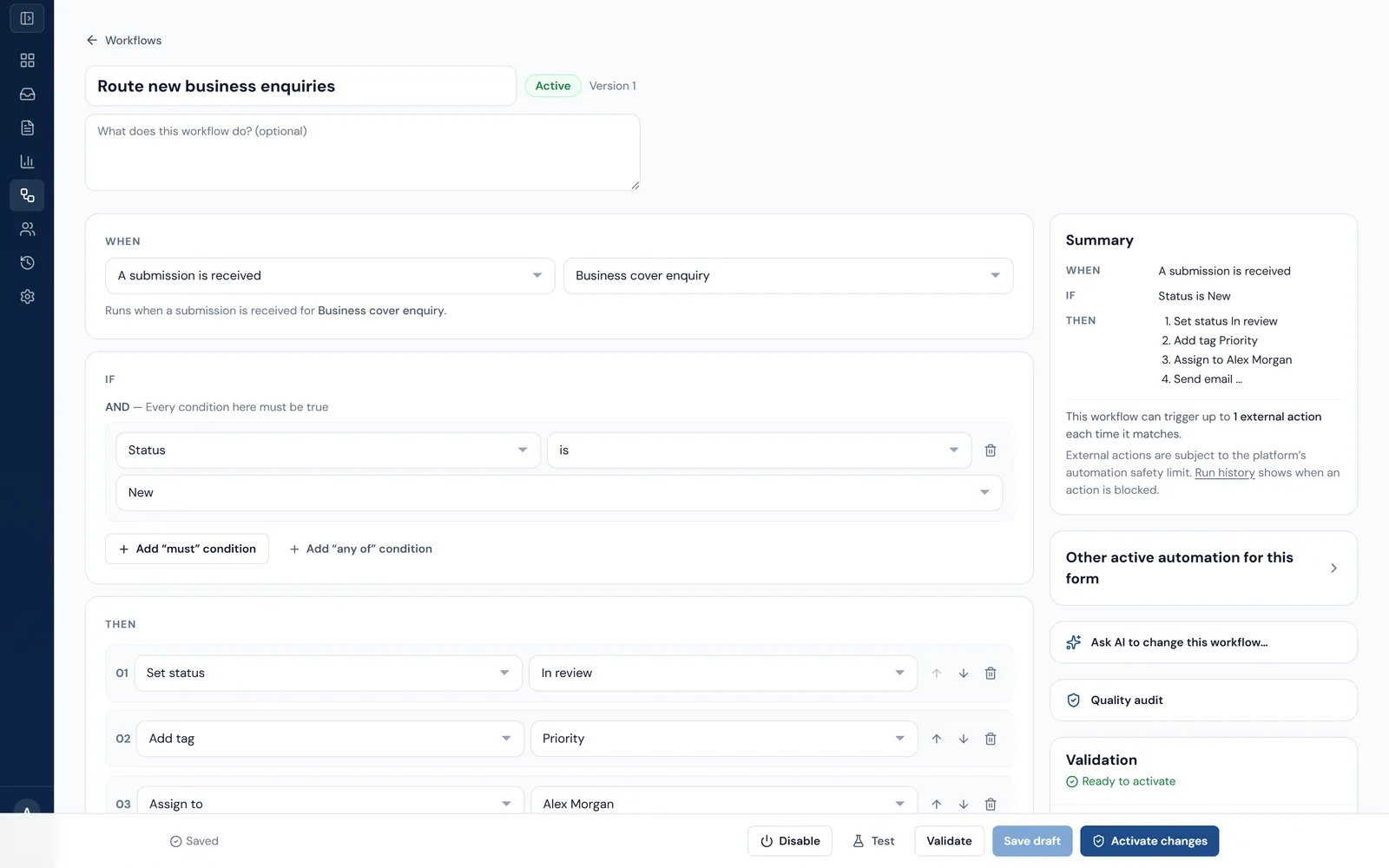
- Test a workflow against a real submission before switching it on. The test shows what would happen and changes nothing.
- Workflows are validated before they can be activated, and edits don't affect runs already under way.
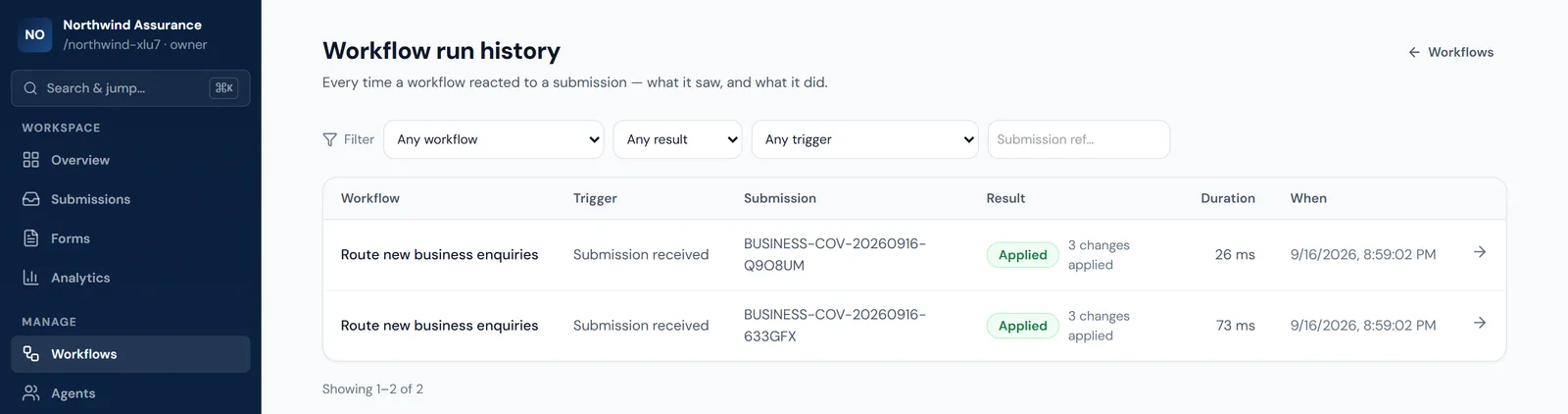
- Run history shows what each run saw, which conditions matched and what every action did.
- Outbound deliveries are queued, retried and tracked individually.
- A safety limit caps how many external actions a single submission can set off.
Workflow automation, including email actions, is on Growth and above. Slack, Google Sheets, webhook, HTTP and WhatsApp actions need Scale.
Integrate
Send submissions where your team already works
Connect the tools you use, and choose which workflow step talks to each one. Credentials are encrypted and never shown back in full.
- Growth+
Email
Send an email to your team, a fixed address or the respondent, using details from the submission.
- Scale+
Slack
Connect your Slack workspace and post a message to a channel when a workflow runs.
- Scale+
Google Sheets
Connect a Google account and append a row to a spreadsheet tab for each matching submission.
- Scale+
Webhooks
Send a signed payload to your own endpoint from a workflow step.
- Scale+
HTTP requests
Call an external API with the method and authentication you configure. Private network addresses are blocked.
- Scale+
WhatsApp
Send approved WhatsApp template messages through your own Meta WhatsApp Cloud API account.
- Growth+
Submission webhooks
Receive a signed event in your own system every time a submission is created — no workflow needed.
“Growth+” means Growth and above; “Scale+” means Scale and Enterprise.