
Submissions & payments
Every submission, followed through
Submissions land in a shared workspace with a status, an owner and a history. A form can also ask for a payment by M-PESA or card, paid to your organization’s own Paystack account.
Collect & operate
Every submission has a status, an owner and a history
Submissions land in a shared workspace where your team reviews, assigns and moves them forward — not in an inbox or a spreadsheet export.
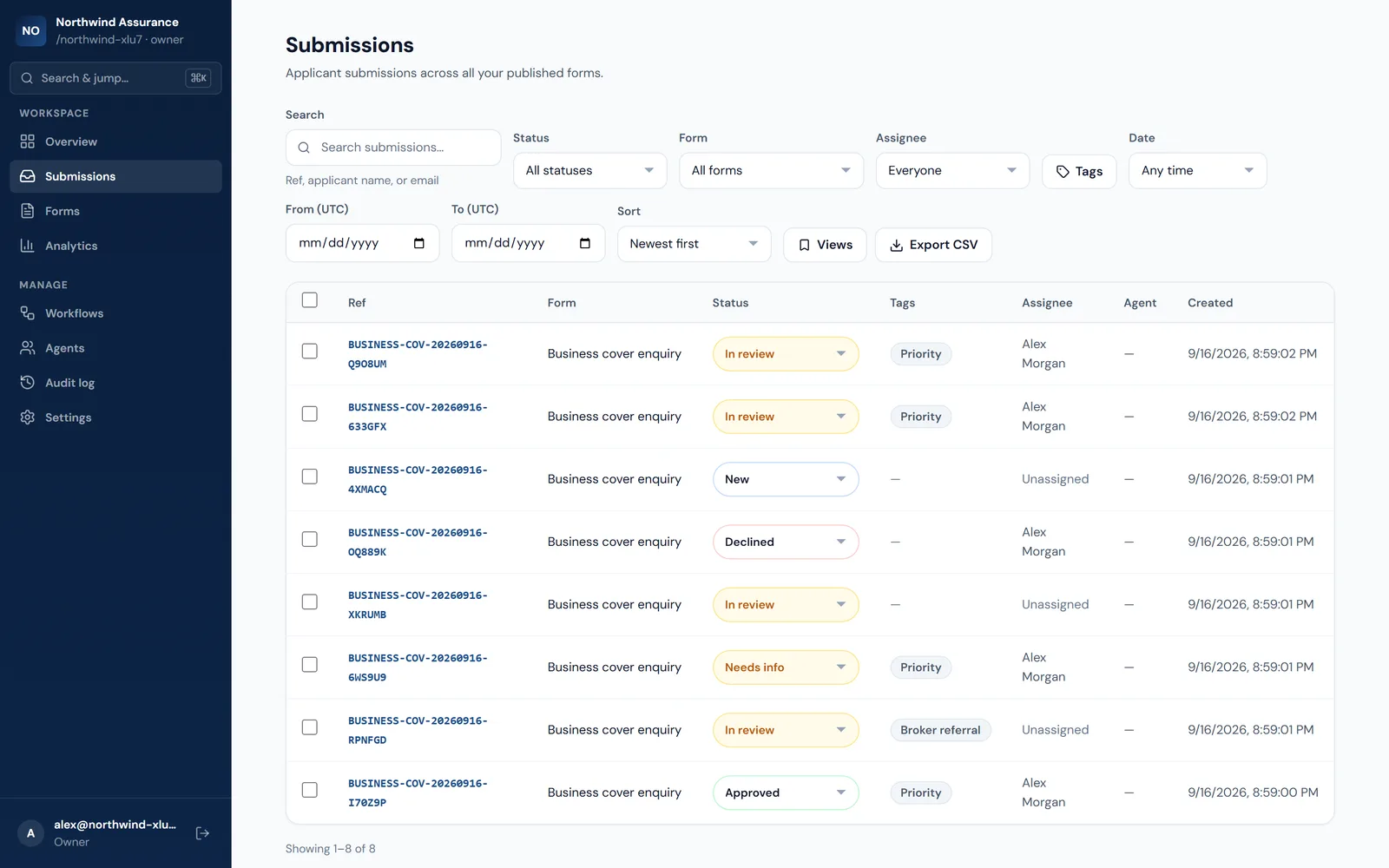
- Track each submission through New, In review, Needs info, Approved and Declined.
- Assign a teammate, add tags, and leave internal notes that respondents never see.
- Search by reference, name or email, and filter by status, form, assignee, tags and date.
- Save the views you use every day, and update many submissions at once with bulk actions.
- An activity history on every submission shows who changed what, and when.
- Export to CSV whenever you need the data somewhere else.
- Ask for a payment when a form is submitted — by M-PESA or card, paid straight to your organization's own Paystack account.
- A payment counts once Paystack confirms it. Every try, what Paystack reported and any refund sit beside the submission, and a confirmed payment can start a workflow.
Form performance analytics, agent referral tracking, the audit log and payments on forms are on Growth and above; payments need your own Paystack account. CSV export row limits depend on your plan.